





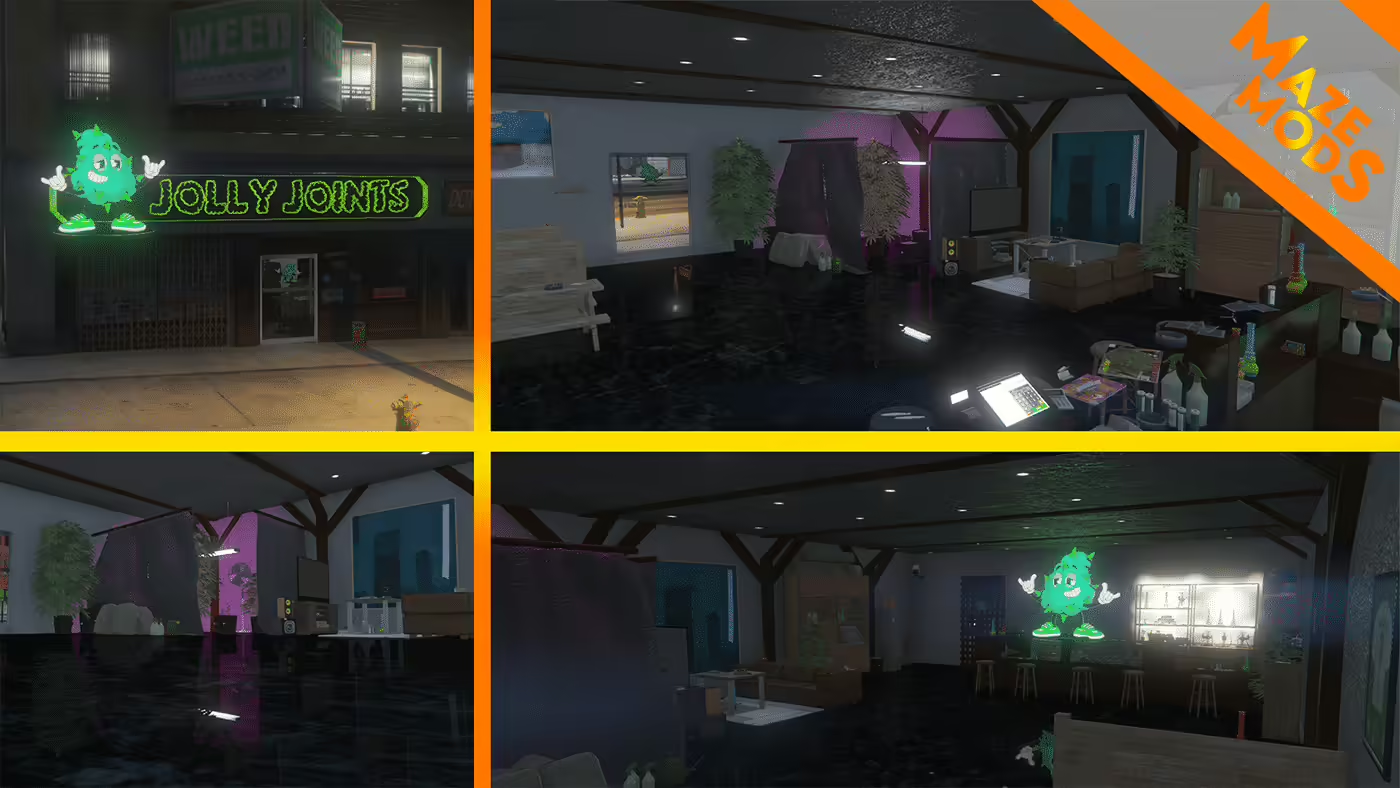
Jolly Joints is a GTA V interior beside the central Los Santos car dealership. The original GTA5-Mods listing identifies florek1337, now displayed as MazeMods, and provides separate FiveM and single-player installation instructions. The map includes reception, staff and lounge areas; the release does not establish an included sales, crafting or consumable-item script.
Original creator release and download
Install the FiveM resource
Use the FiveM package and unpack florek_weedshop into the server resources directory. The creator’s instruction is to start that resource from server.cfg. Confirm the actual folder and manifest after extraction and test on a separate instance. Do not apply the single-player dlcpacks and OpenIV instructions to the FiveM server.
Check nearby maps before deployment
The creator explicitly warns of overlap with other dealership MLOs. A later comment identifies hei_dt1_occl_04.ymap and hei_dt1_rd1_strm_1.ymap as possible Legion Square conflicts; the author acknowledged the files in September 2025 and said a future change might remove them. That is not evidence a fixed package has shipped. Check your exact files and nearby maps before making selective changes, and keep rollback copies.
Validate the interior and separate gameplay
Inspect entrances, collisions, visibility, lighting and room transitions from several approaches. If you add a shop or job script, test its interaction points, inventory items, payments and permissions separately. The historical creator preview below is preserved. This guide replaces the old direct-file link with the source page; it does not claim an unpacked archive inspection, current Enhanced compatibility or tested gameplay.