





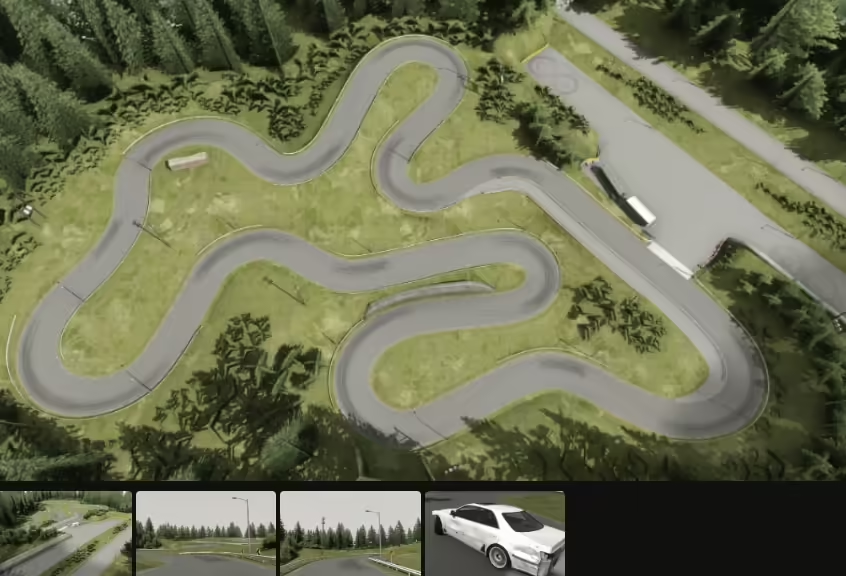
Build a drift server around predictable vehicle behavior, a readable track and quick recovery after a mistake. Start with one tested car and one track; add tuning tools and event systems only when the basic driving experience works.
Start with a working server
Complete the official FXServer/txAdmin setup for your chosen GTA edition. Verify a player can join, spawn and reconnect before adding drift resources. Keep the active configuration and resource versions under change control.
Use vehicles and tracks licensed for your intended deployment. Check their Legacy/Enhanced compatibility and dependencies. A resource name in another guide does not prove that a matching package is installed.
Install one car and one track
Add each resource separately, preserve its manifest and inspect startup errors. Spawn the car using its actual model name and drive every part of the track. Check collision, barriers, resets, pit access and places where a car can become stuck.
Avoid merging large packs initially. Separate resources make it easier to identify a collision, texture or handling problem and roll back just the affected addition.
Tune a repeatable handling baseline
Keep a copy of the original handling data. Test the same car, tires, weather and route with the same input device. Change one small group of related settings, record the values and compare corner entry, sustained angle, transitions and recovery.
A live handling editor can help explore values, but its changes must be exported to the resource that owns the vehicle’s handling. Remove or restrict experimental runtime overrides before comparing the saved result. Tire/grip scripts can also override the behavior you are trying to measure.
Set permissions from the installed resource
Use the admin/spawn tool’s documented permission names. Give ordinary players only the car selection, repair and reset actions your design requires. Keep unrestricted entity spawning, weapons, teleport and live physics editing limited to authorized staff.
Test the denied case with an ordinary account. A hidden menu entry does not prove the underlying action is protected. Do not copy a guessed ACE key such as a generic “handling edit” permission.
Make practice easy
Publish the allowed car list, track direction and tandem rules. Give players a clear route to the pits and a reset action that does not drop a car into someone else’s line. Offer a predictable starter preset before allowing advanced tuning.
Use solo practice, lead/chase swaps and small tandem groups to teach the course. Keep event rules understandable: start point, valid clipping zones, contact policy and how a run is restarted.
Test with other drivers
- Compare the saved handling after resource restart and reconnect.
- Test collisions, vehicle repair/reset and spawning with several drivers.
- Verify another player sees the intended vehicle and supported stance changes.
- Measure client frame time in a busy grid and server profiler output during the same activity. Server processing and client FPS are separate measurements.
- Check that ordinary players cannot use restricted tuning or admin actions.
Release and improve
Keep the tested car/track configuration as a named baseline. Change one preset or track element at a time and collect feedback from both keyboard and controller users. Roll back a change that makes driving inconsistent rather than compensating with several additional scripts.
Reference documentation
Cfx.re — setting up a server · Source: carmineos/fivem-handling-editor · Source: carmineos/fivem-vstancer