





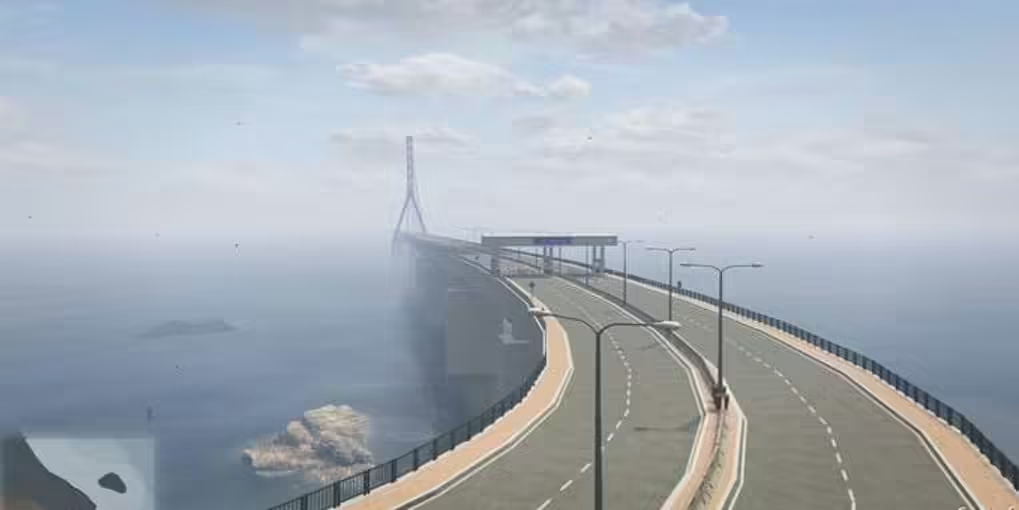
The bridge pictured here matches NE NOORE’s original Cfx release image, including its road layout, approach and cable tower. The creator’s listing is CP – Bridge V1, a paid map. The old ad-gated download and claims about four free variants were not verified. Use the original release and store below to identify the package you actually receive.
Original release and matching screenshots
NE NOORE CP – Bridge V1 listing
Check the documented game build
The creator’s release specifies game build 2372 or greater. Confirm your server’s configured game build and Cayo Perico setup before testing the crossing. That minimum is not a guarantee for every current map combination. The original thread also records an update for errors; obtain the creator’s current package instead of assuming an old mirror includes it.
Use the supplied resource layout
Back up the existing map resources and configuration. Inspect the delivered manifest and use its actual resource folder name in the ensure entry; the old generic cayo-perico-bridge command was not tied to an inspected package. Test the bridge separately before combining it with other coastal or island maps. Check both approaches, collision, road surfaces, night lighting and repeated joins. No executable archive was available for this review, so it does not certify the package’s dependencies, folder name or performance.
Treat minimap and texture changes separately
The creator documents editable YTD textures and a separate minimap-editing tutorial. A visible road does not prove that the pause map and vehicle radar include it. Follow the creator’s instructions for your minimap version and keep the previous textures for rollback. The support thread identifies overlapping YMAP files as one possible conflict and advises checking the game build for foliage problems. Diagnose your actual combination instead of removing unrelated maps indiscriminately.