





Updated September 19, 2026
FiveM for GTA V Enhanced is available—but it is still in Early Access. Cfx.re launched it on July 21, 2026, and currently provides separate downloads for the Legacy and Enhanced versions. Advice saying FiveM only works with GTA V Legacy is therefore outdated. (Cfx Forum)
The choice is not simply between old graphics and new graphics. It also affects which servers you can join, the hardware you need, and whether a server’s scripts, maps, vehicles, and other dependencies will work.
For players, start with the server you want to join. For server owners, start with the resources you cannot operate without.
What does “standard FiveM” mean?
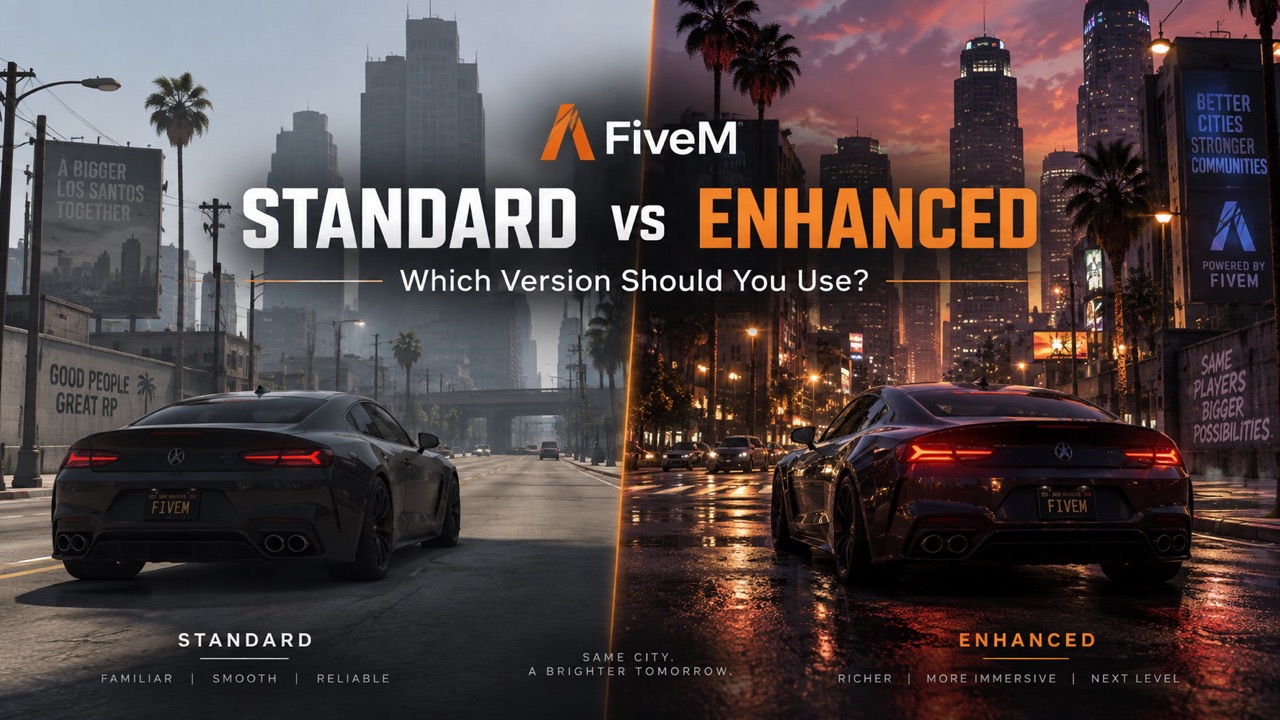
In this comparison, standard FiveM means FiveM Legacy, which requires GTA V Legacy. FiveM for GTA V Enhanced is the separate version built for GTA V Enhanced. These are different game-and-client combinations, not a standard subscription and a premium FiveM subscription. The official download page identifies the required GTA V edition for each. (FiveM)
| Question | FiveM Legacy, or “standard” | FiveM for GTA V Enhanced |
|---|---|---|
| Which GTA V edition is required? | GTA V Legacy | GTA V Enhanced. (FiveM) |
| What is its current status? | Legacy remains supported | Public Early Access; bugs and missing features are still expected. (Cfx Forum) |
| Which servers can you join? | Legacy servers | Enhanced servers; there is no crossplay between the two versions. (Cfx Forum) |
| What is the graphical foundation? | GTA V Legacy | GTA V Enhanced, which adds modern rendering features including additional ray tracing and DLSS support. (NVIDIA) |
| What does switching involve for server owners? | No edition migration when staying on Legacy | Enhanced server software, resource compatibility checks, and asset conversion where required. (Cfx Documentation) |
Our recommendation: Do not migrate a working server merely because the newer edition exists. Migrate when the complete server—not just its framework—has a verified path forward.
Can FiveM Legacy and Enhanced players play together?
No. Legacy and Enhanced clients cannot join the same server instance. Cfx.re explicitly states that there is no crossplay between the server versions and that operators cannot run both versions on the same server. It also says migration is not mandatory and Legacy support will continue. (Cfx Forum)
That makes server compatibility the first decision for players. Installing Enhanced does not give you access to a community that still runs its server on Legacy.
You can keep the two clients installed side by side. Cfx.re describes Enhanced as a separate launcher during Early Access, allowing users to retain Legacy rather than replacing it. Each still needs its corresponding GTA V edition. (Cfx Forum)
For a community considering migration, announce the required game edition before inviting players to a test. “Update FiveM” is not a sufficiently clear instruction when the underlying GTA V installation also matters.
Graphics: what does Enhanced actually improve?
GTA V Enhanced provides a newer rendering foundation. Its PC features include ray-traced ambient occlusion and global illumination, alongside ray-traced shadows and reflections. NVIDIA also documents DLSS upscaling and frame-generation support in the underlying game, with availability depending on the GPU and feature involved. (NVIDIA)
However, GTA V Enhanced’s feature list is not a compatibility certificate for FiveM Enhanced. FiveM remains in Early Access, and Cfx.re warns that features may change and some capabilities are still missing. Treat base-game demonstrations as examples of the technology—not proof that your preferred FiveM server, custom assets, and graphics settings will behave identically. (Cfx Forum)
What about graphics mods?
Cfx.re’s current migration documentation says Enhanced always enforces pure mode and that graphics mods cannot be used during Early Access. (Cfx Documentation)
That restriction should not be confused with removing custom server content. Cfx.re provides an Enhanced onboarding process and an asset-conversion tool for server resources. Client graphics modifications and server-streamed assets are different compatibility questions. (Cfx Documentation)
For visual testing, examine the places your community actually uses: custom interiors, night-time streets, garages, clothing, and vehicles. A beautiful screenshot of an empty, unmodified location tells you little about whether your full server is ready.
Performance: will FiveM Enhanced give you more FPS?
There is no defensible universal percentage to attach to that question.
Cfx.re describes substantial networking and synchronization work in Enhanced, including reduced overhead and potential client-performance benefits. Those are meaningful engineering changes, but they do not establish a guaranteed FPS improvement for every server and PC. (Cfx Forum)
Server improvements are not the same as higher client FPS
In its July development update, Cfx.re reported per-player and per-entity memory optimizations with RAM reductions of up to 50%. That is a platform-development claim about server memory—not an independent benchmark of your server, and not a promise of 50% higher FPS. (Cfx Forum)
Enhanced also exposes a synchronization-thread tick rate with a default of 60 and a configurable range of 1–120. The documentation notes that higher values can reduce latency while increasing CPU usage. This setting controls synchronization updates, not the number of frames your graphics card renders. (Cfx Documentation)
Do not turn every setting to its maximum merely because the new server supports it. Establish a baseline, change one variable, and measure the result.
Loading times need a separate comparison
GTA V Enhanced supports SSD-based loading improvements and DirectStorage. But FiveM’s own connection process introduces another variable: Cfx.re says Enhanced starts the game process when connecting rather than prelaunching it when the client opens. Its development notes describe longer initial connections, alongside a quicker return to the server list after disconnecting. (NVIDIA)
“Enhanced loads faster” is therefore too broad. Opening the launcher, downloading resources, joining a server, and returning to the browser are separate operations.
How to compare the two fairly
For a useful comparison, test equivalent server content on the same PC, at the same resolution, with similar player activity, weather, and viewing distance. Record average FPS, frame-time spikes, memory use, crashes, and connection times.
Measure ordinary rendered performance separately from frame generation. Frame-generation technology creates additional displayed frames; that number should not be presented as evidence that scripts or server synchronization are running proportionally faster. (NVIDIA Developer)
A controlled comparison is more useful than a video showing two unrelated servers with different resource loads.
System requirements: Enhanced needs an SSD and newer hardware
Cfx.re’s dedicated Enhanced requirements page, updated September 3, 2026, lists the following specifications. (support.cfx.re)
| Component | Minimum | Recommended |
|---|---|---|
| Operating system | Windows 10, build 1909 or later | Windows 11 |
| Processor | Intel Core i7-4770 or AMD FX-9590 | Intel Core i5-9600K or AMD Ryzen 5 3600 |
| Memory | 8 GB RAM | 16 GB RAM in dual-channel mode |
| Graphics card | NVIDIA GTX 1630 4 GB or AMD Radeon RX 6400 4 GB | NVIDIA RTX 3060 8 GB or AMD Radeon RX 6600 XT 8 GB |
| Storage | 105 GB; SSD required | 105 GB on a DirectStorage-compatible drive |
Source: Cfx.re’s FiveM for GTAV Enhanced system requirements. (support.cfx.re)
Treat those numbers as the official baseline, not a promised frame rate for a particular roleplay server.
Also budget additional storage for FiveM and downloaded server resources. Enhanced’s installer supports selecting a separate location for the server cache, which is useful when planning a dual-install setup. (Cfx Forum)
Legacy is not an excuse to ignore memory requirements, either. Its dedicated FiveM support article recommends 16 GB RAM. Check FiveM’s requirements rather than relying solely on the original GTA V minimum specification. (support.cfx.re)
Will existing FiveM scripts, MLOs, and vehicles work on Enhanced?
Not automatically—and not all for the same reason.
A server can have compatible gameplay scripts but incompatible assets. It can load its framework successfully while its voice integration or persistent resource data still needs attention.
Separate those problems instead of treating “Enhanced compatible” as a single checkbox.
Scripts and frameworks
Cfx.re has described backward compatibility for existing Lua, JavaScript, and C# scripting functionality as a development goal. That is encouraging, but a compatibility goal is not confirmation that every third-party resource has been tested. (Cfx Forum)
There are documented behavioral changes, including state-bag replication rules and a requirement to migrate key-value database files. An existing database connection alone does not prove that every form of resource persistence has migrated correctly. (Cfx Documentation)
Likewise, “ESX compatible” or “QBCore compatible” should not be accepted as the answer to an edition-compatibility question. Ask the developer which resource version, framework version, and GTA V edition they have tested together.
Framework selection is a separate decision; RPCrate’s comparison of ESX, QBCore, and Qbox covers their different dependencies and migration considerations. (RPCrate)
Maps, vehicles, clothing, and other assets
Cfx.re’s Alchemist tool converts supported GTA V Legacy assets into Enhanced formats. Its documented supported formats include YDR, YTD, YFT, YPT, and YDD. (Cfx Documentation)
Alchemist is an asset converter, not a replacement for testing the complete resource. After conversion, inspect materials, textures, visibility, collisions, doors, vehicle behavior, and interactions in the target server.
For an MLO interior package, successful conversion should be the beginning of validation—not the point at which you declare the entire interior ready for production.
Asset Escrow is a current migration blocker
As of this article’s update, Cfx.re’s Enhanced migration documentation lists Asset Escrow as not implemented yet. Treat an essential escrow-dependent resource as a migration blocker until a supported solution is confirmed. (Cfx Documentation)
Alchemist does not bypass that limitation. Its documentation says the graphical interface stops when it encounters an escrowed asset, while the command-line version skips escrowed assets and reports them. (Cfx Documentation)
Do not assume that buying a resource, owning its download, or successfully converting other files makes its protected components usable on Enhanced. Request explicit compatibility information from the creator.
Voice, radios, and phones need dedicated testing
Enhanced introduces a replacement for the previous Mumble-based voice implementation. Existing Mumble-related native functions have a deprecated compatibility path, but Cfx.re documents limitations and recommends the newer server-controlled API. (Cfx Documentation)
One particularly important warning concerns channel access: the documentation says the compatibility mode allows clients to join channels and listen. That deserves attention wherever a server expects restricted radio or call membership. (Cfx Documentation)
Test proximity speech, private calls, radios, reconnects, channel switching, and unauthorized listening. A microphone working during a basic join test does not establish that the server’s complete voice system works correctly.
What server owners should do before migrating
Enhanced uses its own server software. Cfx.re calls the new component Cfx Server, while retaining embedded txAdmin. Do not approach migration as replacing a few files inside a production Legacy installation. (Cfx Forum)
A safer migration process has four stages:
- Inventory and back up the existing server. Preserve the database, resources, configuration, permissions, and resource-specific persistent data. Record exact versions and prove that the backup can be restored.
- Build a separate Enhanced test server. Track each essential resource as verified, awaiting an update, replaceable, or blocking migration. Include dependencies—not just the resources players recognize.
- Test complete player journeys. Create a character, reconnect, change jobs, use inventories, buy and retrieve vehicles, enter custom interiors, make calls, use radios, and restart the server. Check that state persists correctly.
- Run a controlled player test before scheduling a switch. Include different hardware configurations and realistic activity. Set rollback criteria in advance and keep the working Legacy environment available until the migration is accepted.
Do not stop testing because the console is quiet. A resource can start successfully without delivering every expected interaction.
When selecting scripts, MLOs, or server packages through RPCrate—or any other marketplace—request edition-specific evidence. A useful compatibility statement names the tested version and known limitations. A generic “works with FiveM” label leaves too much unanswered.
How to install the correct FiveM version
For an Enhanced server, Cfx.re’s installation instructions require Rockstar Games Launcher and GTA V Enhanced to be installed first. Then use the dedicated FiveM for GTAV Enhanced download on the official FiveM website and follow its installer. (support.cfx.re)
For a Legacy server, retain GTA V Legacy and use the matching FiveM client. Installing the Enhanced version does not replace that requirement. (FiveM)
Before troubleshooting a failed connection, confirm the server’s edition with its administrators. That is a better starting point than reinstalling both games or deleting caches without knowing the cause.
Both options are for PC. Owning an Enhanced console edition does not provide access to FiveM on PlayStation or Xbox. (FiveM)
Which version should you choose?
For players: follow the server
Use the edition your chosen community supports. Keep both installations only when you actually play on both branches and have the storage available.
Once compatibility is settled, compare performance and visual quality on your own hardware. Do not abandon a community you enjoy merely to move to a newer rendering engine.
For existing server owners: protect the working server
Our recommendation is to stay on your proven Legacy setup until every essential migration dependency has an acceptable solution. Better visuals are not sufficient compensation for broken persistence, unavailable paid resources, or unreliable voice communication.
Use Enhanced staging tests to make the decision with evidence rather than postponing evaluation indefinitely.
For new projects: evaluate Enhanced early
A new project has the advantage of choosing dependencies around its target edition rather than inheriting years of compatibility assumptions. Start that evaluation before purchasing the resource collection or promising a launch date.
However, do not confuse a fresh project with an exemption from Early Access limitations.
The better version is the one that supports the experience you intend to deliver. For players, that means access to the right server. For owners, it means a complete, tested server—not merely a successful launch screen.