





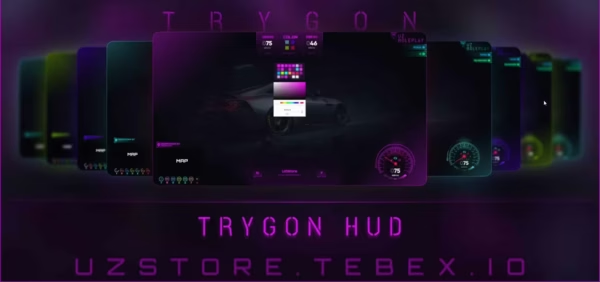
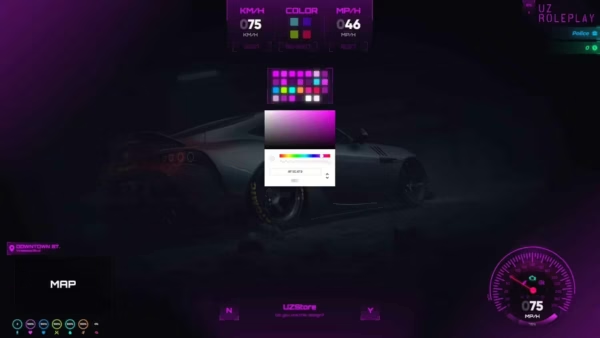
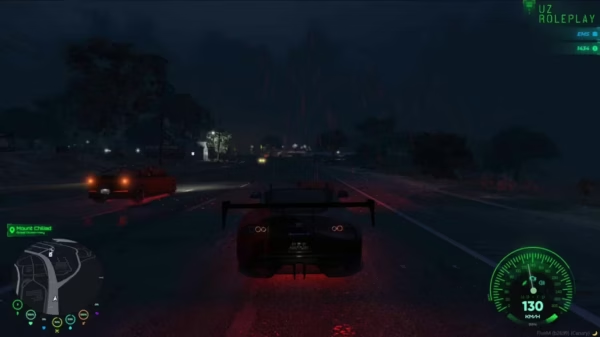
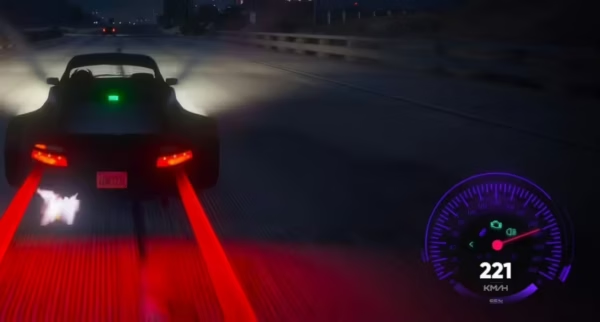
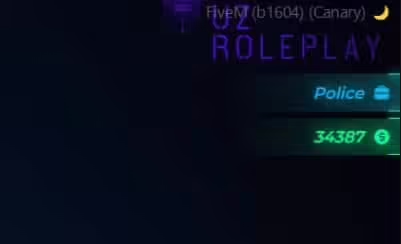


Trygon HUD by UZStore is a player and vehicle HUD for QBCore, ESX and older QBCore servers. It shows status, money, job and vehicle information, and each player can change colors, speed unit and map type in a settings menu.
Recursos
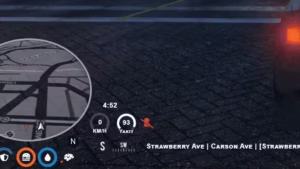
- Player HUD com status, dinheiro, emprego e dinheiro sujo opcional e dinheiro de chefão (sociedade)
- Exibição do nome do servidor, ID do jogador e contagem de jogadores online
- HUD de veículo em KMH ou MPH com um gancho de combustível (
uz_fuelpor padrão, LegacyFuel ou combustível nativo como alternativas) - Minimapa retangular ou radial (texturas de mapa incluídas)
- Quatro temas de cores padrão mais cores personalizadas; as configurações do jogador são salvas no banco de dados
- Tecla do cinto de segurança, teclas de seta opcionais e um item de nitro (
noos) com tecla, força e consumo configuráveis - Estresse ao atirar e dirigir rápido sem cinto de segurança, com níveis de tremor de tela e intervalos
- Exports para visibilidade de HUD e prompts de perguntas sim/não
Requisitos
- QBCore, ESX ou OldQBCore (definido em
Customize.lua) - oxmysql, ghmattimysql ou mysql-async
Instalação
- Importar
InsertMe.sql(cria ouzstore_trygonhudtabela). - Coloque o
uz_TrygonHudpasta na sua pasta resources e ajusteCustomize.lua, incluindo a exportação de combustível. - Adicione
ensure uz_TrygonHudpara o seu server.cfg.
Arquivo de configuração:
Customize = {

    Framework = "QBCore", -- QBCore | ESX | OldQBCore (Write the framework you used as in the example)
    Mysql = "oxmysql", -- oxmysql | ghmattimysql | mysql-async (Write the sql script you use as in the example)
    DefaultColor = 2, -- 1: blue | 2: red | 3: purple | 4: green
    DefaultType = 'kmh', -- kmh | mph
    ServerName = 'UZ ROLEPLAY',
    VehHudText = 'uz-rp',
    ServerMaxOnline = 120,
    SeatbeltControl = 'K',

    QuestionYes = 246, -- Y: 246
    QuestionNo = 249, -- N: 249

--
    NitroItem = "noos", -- item to install nitro to a vehicle
    NitroControl = "G",
    NitroForce = 40.0, -- Nitro force when player using nitro
    RemoveNitroOnpress = 2, -- Determines of how much you want to remove nitro when player press nitro key

    SignalControl = false,
    RightSignalControl = 174, -- > : 174
    LeftSignalControl = 175, -- < : 175
--


    MoneyDisplay = true, -- true | false
    StatusDisplay = true, -- true | false


    JobLabel = false, -- true | false (true:Officer  -  false: Police)
    JobDisplay = true, -- true | false
    BlackMoneyDisplay = false, -- true | false
    BossMoneyDisplay = false, -- true | false

    SocietyMoney = function()
        return 0 -- You should edit this to your own server
    end,

    DefaultMapType = 'rectangle', -- rectangle | radial

    Lang = {
        ['Online'] = 'ONLINE',
        ['ID'] = 'ID',
    },

    GetVehFuel = function(Veh)
        return exports["uz_fuel"]:GetFuel(Veh) -- exports["LegacyFuel"]:GetFuel(Veh) - GetVehicleFuelLevel(Veh) - exports["uz_fuel"]:GetFuel(Veh)
    end,

    StressChance = 0.1, -- Default: 10% -- Percentage Stress Chance When Shooting (0-1)
    MinimumStress = 50, -- Minimum Stress Level For Screen Shaking
    MinimumSpeedUnbuckled = 50, -- Going Over This Speed Will Cause Stress

    WhitelistedWeaponStress = {
        `weapon_petrolcan`,
        `weapon_hazardcan`,
        `weapon_fireextinguisher`
    },

    Intensity = {
        [1] = {
            min = 50,
            max = 60,
            intensity = 1500,
        },
        [2] = {
            min = 60,
            max = 70,
            intensity = 2000,
        },
        [3] = {
            min = 70,
            max = 80,
            intensity = 2500,
        },
        [4] = {
            min = 80,
            max = 90,
            intensity = 2700,
        },
        [5] = {
            min = 90,
            max = 100,
            intensity = 3000,
        },
    },

    EffectInterval = {
        [1] = {
            min = 50,
            max = 60,
            timeout = math.random(50000, 60000)
        },
        [2] = {
            min = 60,
            max = 70,
            timeout = math.random(40000, 50000)
        },
        [3] = {
            min = 70,
            max = 80,
            timeout = math.random(30000, 40000)
        },
        [4] = {
            min = 80,
            max = 90,
            timeout = math.random(20000, 30000)
        },
        [5] = {
            min = 90,
            max = 100,
            timeout = math.random(15000, 20000)
        }
    }
}


function GetFramework()
    local Get = nil
    if Customize.Framework == "ESX" then
        while Get == nil do
            TriggerEvent('esx:getSharedObject', function(Set) Get = Set end)
            Citizen.Wait(0)
        end
    end
    if Customize.Framework == "QBCore" then
        Get = exports["qb-core"]:GetCoreObject()
    end
    if Customize.Framework == "OldQBCore" then
        while Get == nil do
            TriggerEvent('QBCore:GetObject', function(Set) Get = Set end)
            Citizen.Wait(200)
        end
    end
    return Get
end

function ExecuteSql(query)
    local IsBusy = true
    local result = nil
    if Customize.Mysql == "oxmysql" then
        if MySQL == nil then
            exports.oxmysql:execute(query, function(data)
                result = data
                IsBusy = false
            end)
        else
            MySQL.query(query, {}, function(data)
                result = data
                IsBusy = false
            end)
        end
    elseif Customize.Mysql == "ghmattimysql" then
        exports.ghmattimysql:execute(query, {}, function(data)
            result = data
            IsBusy = false
        end)
    elseif Customize.Mysql == "mysql-async" then
        MySQL.Async.fetchAll(query, {}, function(data)
            result = data
            IsBusy = false
        end)
    end
    while IsBusy do
        Citizen.Wait(0)
    end
    return result
end


--[[
    if exports['uz_TrygonHud']:Question('UZStore', 'Do you want to open settings ?') then
        SendReactMessage('setOpenSettings', true)
        SetNuiFocus(true, true)
    end
]]

--[[
    exports['uz_TrygonHud']:SetHudVisibility(false)
    exports['uz_TrygonHud']:SetHudVisibility(true)
]]


Avaliações
Não há avaliações ainda.