





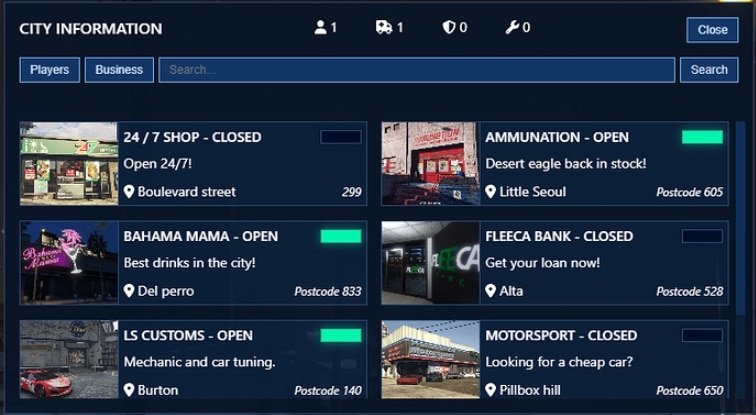
The business-status scoreboard described here matches ScriptForge-FiveM/Scoreboard. Its README identifies sf-scoreboard and requires database setup and identifier configuration in addition to copying the resource folder.
Original ScriptForge scoreboard repository
Prepare the database and configuration
Back up the database before running install_sql_table.sql: it creates business_status and inserts example businesses, so review existing rows before rerunning it. Set your own Config.allowedIdentifiers and Config.businessPermissions in config.lua. The manifest loads mysql-async and Server/server.lua; check path capitalization on Linux. Place the supplied sf-scoreboard folder in resources and use ensure sf-scoreboard after its dependencies.
Verify business-management permissions
Test with an administrator, an eligible business employee and a player without that job. Check who can create, edit, delete, open and close a business. Confirm status changes reach a second connected player and that data persists after restarting the resource. A visible button or hidden menu is not proof that the server rejects an unauthorized action.
Source checked on 10 September 2026. The project is identified as an ESX scoreboard; the earlier broad FiveM compatibility claim is not a substitute for checking your framework integration. No gameplay or security certification is claimed.