





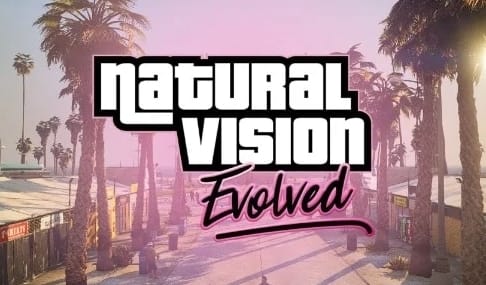
NaturalVision is a family of graphics modifications for GTA V by Razed Mods, not one single download. The right package depends on your game edition, your client (single-player or FiveM) and whether your server allows client modifications at all. Pick the wrong one and it will either not install, or it will install and then get you disconnected. This guide separates the editions, states the current FiveM restriction plainly, and walks through installation, verification and recovery for the case that is actually permitted today.
What NaturalVision is
“NaturalVision” is the umbrella name for four separate Razed Mods releases. They are not interchangeable, and a readme for one will not install a different one correctly.
| Freigeben | Gebaut für | Status |
|---|---|---|
| NaturalVision weiterentwickelt (NVE) | GTA V Legacy | Current, actively updated, the release most guides mean by “NVE” |
| NaturalVision verbessert | GTA V Enhanced | Current, single-player only while Enhanced keeps pure mode on for FiveM |
| NaturalVision Lite | GTA V Legacy | A lighter-weight package aimed at lower-end hardware |
| NaturalVision Remastered | GTA V Legacy | An earlier, now largely superseded release; most current guides target Evolved instead |
All four come from the same creator, distributed through the offizielle NaturalVision-Seite von Razed Mods and Patreon. Package contents, requirements and included readmes change between updates, so treat the creator’s current page as the source of truth rather than any fixed description, including this one.
Which edition do you need
Answer these three questions before downloading anything. Getting any one wrong is the most common reason an installation fails or gets a client disconnected.
| Your situation | Edition to get | Install target |
|---|---|---|
| You play GTA V Legacy, single-player only | NaturalVision Evolved (or Lite on weaker hardware) | Legacy single-player client |
| You play GTA V Legacy on a FiveM server that permits client modifications | NaturalVision Evolved | FiveM Legacy client, following the server’s rules |
| You play GTA V Enhanced, single-player only | NaturalVision verbessert | Enhanced single-player client |
| You play FiveM on GTA V Enhanced (early access) | Neither — see FiveM compatibility below | Not currently supported |
A package built for one game edition will not correctly install into the other, and Evolved and Enhanced are not the same archive with a different name. Read the readme included with your specific download before copying any file.
FiveM compatibility: Legacy vs Enhanced
This is the distinction most installation problems trace back to. The official Cfx.re Legacy-vs-Enhanced documentation states that FiveM on GTA V Enhanced currently keeps pure mode enabled during early access, and graphics modifications cannot be used on that client. That restriction applies regardless of how the mod is packaged, and no configuration change on your end works around it while the restriction stands.
On GTA V Legacy, FiveM servers set their own pure-mode level and client-modification rules. Some permit NaturalVision Evolved, some do not, and a modification allowed on one server can get you disconnected on another. The Pure-Mode-Anleitung explains the difference between a permitted client tweak and a clean-client requirement in more detail. When a community’s policy is not published, ask server staff before installing anything, and keep an unmodified client ready to switch back to.
Do not attempt to bypass pure mode or anti-cheat checks to force a graphics mod through on a restricted server or on Enhanced early access. That is a different category of risk than a mod not working, and it is outside what this guide covers.
Requirements and performance
NaturalVision Evolved and Enhanced replace weather, lighting, textures and vegetation across the map, which raises VRAM use and lowers frame rate compared to unmodified GTA V — the size of that change depends on your GPU, your resolution and which optional effects you enable, so treat any specific FPS number you see elsewhere as that reviewer’s hardware, not a promise for yours. NaturalVision Lite targets the same visual direction with a smaller footprint for lower-end GPUs. Before installing, note your current average FPS and VRAM use at your normal settings so you have something to compare against, and plan to test with optional effects (extra reflections, additional shader passes) disabled first, then add them back one at a time.
Where to get it officially
Nutze offizielle NaturalVision-Seite von Razed Mods or the creator’s Patreon for every download. Membership tiers, included packages and pricing change over time, so a fixed price or package list published elsewhere — including on this page — can be out of date by the time you read it. Avoid third-party mirrors: a graphics mod modifies core game files, and an unofficial repackage is a bigger risk surface than most other mod categories.
Official Razed Mods store trailer, embedded from the creator’s own YouTube channel.
Install, per edition
Close GTA V and FiveM before you start, and read the readme included with your specific download in full before copying anything — file destinations and optional components change between package versions.
NaturalVision Evolved on FiveM (Legacy)
- Confirm your server allows client-side graphics modifications first. NVE is a client install; it is not a resource you add to
server.cfg, and installing it on your own computer does not distribute it to other players. - Nutze official Razed Mods FiveM installation instructions together with the readme shipped inside your download. Remove any conflicting graphics modification first, using its own uninstall steps.
- Back up every file the readme says it will replace, kept outside the active install folder, and record your current settings and FPS in a repeatable location.
- Extract the package and follow its FiveM-specific destinations exactly. Do not substitute steps from a single-player guide.
- Launch FiveM and join a server whose policy permits the install. Check daylight, night, rain, interiors and vehicle lights, then repeat the same route at the same settings before adding another preset.
NaturalVision Evolved on GTA V Legacy (single-player)
- Launch a clean, unmodified installation first and confirm it works.
- Download the package and read the requirements and install/removal instructions before copying any file.
- Record your game version and package version, and back up every file that will be replaced.
- Install only what that specific release’s readme names, in the paths it specifies, then launch and verify the visual result before installing an additional preset or overlay.
NaturalVision Enhanced on GTA V Enhanced (single-player only)
- Nutze offizielle NaturalVision-Seite von Razed Mods to identify the current Enhanced package and its requirements. Evolved and Enhanced are separate downloads; do not mix their archives or instructions.
- Launch a clean Enhanced installation through your usual launcher first and confirm it works.
- Back up the files the readme says it will replace, then close the game and install only the dependencies and files that release names, in the paths it specifies.
- Launch single-player and verify the result before installing optional presets. Do not copy a Legacy OpenIV/ASI procedure into an Enhanced install — tool support and file layouts differ by release.
None of these steps apply to FiveM on GTA V Enhanced: keep that client clean and use its built-in graphics settings until the early-access restriction changes.
Fehlerbehebung
- Absturz nach der Installation: close the client, follow the package’s uninstall instructions or restore the exact files you backed up, then repeat the clean-launch test before reinstalling.
- Flackernde Texturen oder ungewöhnliche Farben: remove any overlapping graphics packs or presets and test the main NaturalVision package alone before adding anything back.
- No visible change after installing: confirm you installed the package matching your exact game edition and client, in the destination the readme names. A restricted server can also silently ignore modified client files.
- Server rejects the client or disconnects you: reconnect with your clean, unmodified configuration and check that community’s published client-modification policy before trying again.
- Frame rate drops after installing: disable optional effects one at a time and compare against your recorded baseline, rather than assuming the whole package is at fault.
If the same problem persists with the mod fully removed, the underlying game installation is the more likely cause — verify game files through your launcher, keeping in mind that verification does not always remove extra files a mod added, so also follow the package’s own removal list. The setup is working when your permitted client launches, the server you use accepts it, the visual change is present, and normal play remains usable.
If NaturalVision is not the right fit
NaturalVision is one of several ways to change GTA V’s visuals, and it is not the lightest or the only option. If your priority is a smaller performance cost, or you are on FiveM Enhanced today where NaturalVision cannot run yet, compare it against the alternatives in the GTA V graphics mod comparison — including ReShade presets, which change the final image rather than replacing game files, and more restrained visual enhancements. If your interest in NaturalVision is specifically about improving how your own FiveM server looks and runs for players rather than your personal single-player client, that is a server-side decision covered separately by the store’s graphics packages below.
Häufig gestellte Fragen
Ist NaturalVision Evolved eine Serverressource vom Typ FiveM?
No. NVE is installed on the player's computer. A server owner should not place the NaturalVision archive inside the server's resources directory or claim that every joining player automatically receives it.
What's the difference between NaturalVision Evolved and NaturalVision Enhanced?
Evolved targets GTA V Legacy and Enhanced targets GTA V Enhanced. They are separate downloads built for different game editions, and a readme for one does not install the other correctly.
Does NaturalVision work with FiveM on GTA V Enhanced?
Not yet. FiveM on GTA V Enhanced currently keeps pure mode enabled during early access, which blocks graphics modifications regardless of edition. Single-player Enhanced is unaffected by this restriction.
Wo ist der offizielle NaturalVision Download?
Verwende die offizielle Razed Mods-Website oder die Patreon-Seite. Der Download-Zugang, die Mitgliedschaftsstufen und die enthaltenen Pakete können sich ändern, also überprüfe immer die aktuelle Creator-Seite, anstatt eine alte Spiegelung oder einen Artikel mit Festpreis.
Kann ich NVE mit ReShade verwenden?
Optionale Shader können mit einigen Konfigurationen funktionieren, aber teste zuerst NVE allein. Das Stapeln mehrerer Farb-, Tonemapping-, Schärfungs- oder Injektionsschichten kann zu visuellen Fehlern, Abstürzen und unnötigem Leistungsverlust führen.
Braucht jeder FiveM-Spieler NVE?
Nein. Behandle NVE als optionale grafische Einrichtung auf der Client-Seite. Serveranweisungen, Schnittstellen und das Gameplay sollten mit den Standard-GTA-V-Grafiken nutzbar bleiben.
Können NaturalVision-Dateien weiterverteilt werden?
Veröffentliche, bündle oder verteile keine Creator-Dateien ohne Erlaubnis. Verlinke Spieler zur offiziellen Razed Mods-Quelle und folge den aktuellen Lizenz- und Mitgliedschaftsbedingungen.
Was ist der schnellste Weg, um NVE zu entfernen?
Stelle die sauberen Dateien, die du gesichert hast, wieder her oder folge den offiziellen Deinstallationsanweisungen für dein Paket. Überprüfe die GTA V-Installation bei Bedarf über ihren Launcher und teste FiveM, bevor du eine weitere Grafikmodifikation hinzufügst.
Warum funktioniert NVE auf einem Server, aber nicht auf einem anderen?
Server können verschiedene reine Modus-Ebenen, Anti-Cheat-Systeme und Client-Mod-Richtlinien verwenden. Eine Konfiguration, die von einer Community erlaubt wird, kann von einer anderen blockiert werden.